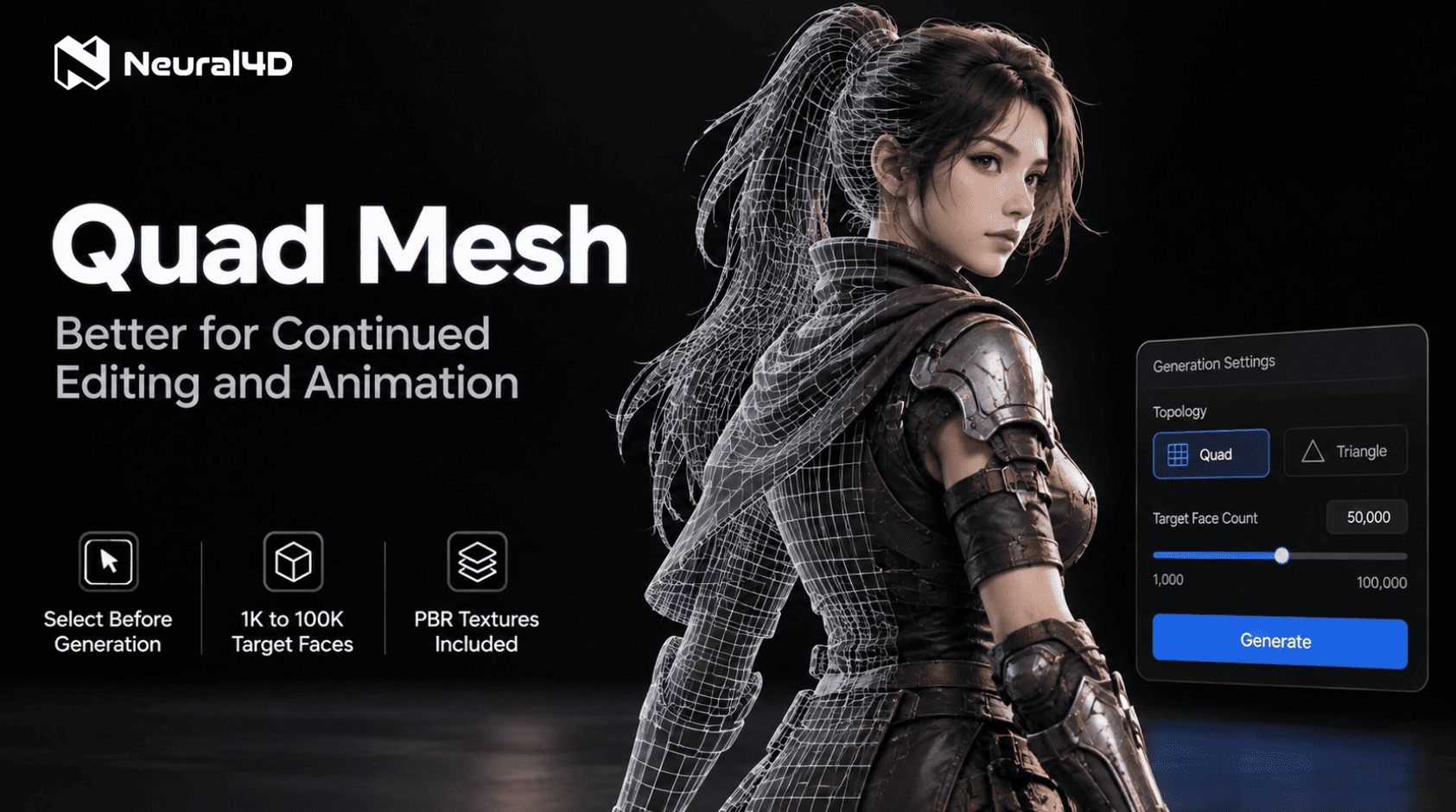
Users can now choose Quad topology before Text to 3D or Image to 3D generation and set a target face count from 1,000 to 100,000.
SAN FRANCISCO, CA, UNITED STATES, September 9, 2026 /EINPresswire.com/ — Neural4D (N4D), the AI creative platform developed by DreamTech, has launched Quad Mesh, a new quadrilateral topology option available directly inside its 3D generation tools. Users can now select Quad before generation begins to create 3D models better suited for continued editing and animation, with PBR textures available in the same workflow.
What Is Quadrilateral (Quad) Mesh in N4D?
Quad is short for quadrilateral, referring to a polygon with four sides. N4D now offers Quad Mesh as a topology option in its Text to 3D and Image to 3D tools, giving users a choice better suited for continued editing and animation. The feature is supported by N4D’s core 3D generation technology, Direct3D-S2, which was presented at NeurIPS 2025.
Users select Quad from the topology panel before generation and set a target face count between 1,000 and 100,000, with 50,000 as the default. The generation pipeline then produces a quad-dominant mesh without requiring a separate post-generation conversion step.
The generated quad mesh asset can be exported in .OBJ (default), .FBX, .GLB, .USDZ, .STL, or .BLEND. These formats cover the primary DCC tools used in game production and animation pipelines, including Blender, Maya, Unreal Engine, and Unity.
Quad Mesh for Editing and Animation
Different 3D workflows have different topology priorities. N4D now lets users choose topology before generation: Quad for continued editing and animation, or Triangle when detail preservation is the priority.
When a user selects Quad before running Text to 3D or Image to 3D, N4D outputs a quad-dominant mesh, with textures and PBR available as optional selections. This gives users a more suitable starting point for continued editing and animation without first converting a Triangle output.
Choosing Between Quad and Triangle Mesh
N4D supports both topology types at the generation stage, with Triangle remaining the default. Users can choose the topology that matches their downstream priority before generation.
Quad (Quadrilateral) Mesh is better suited for workflows that involve continued editing and animation. Users can set a face count from 1,000 to 100,000 to match project needs.
Triangle Mesh is better suited for workflows where preserving geometric detail is the priority. The face count range for Triangle is 100,000 to 500,000.
Both formats are visible in the Workbench asset card via the new Topology field. For teams managing large asset libraries, this field makes it possible to identify each asset’s topology at a glance without opening each file. For a technical walkthrough of the topology differences, see how to convert triangles to quads in the N4D user guide.
“With Quad Mesh in N4D, the topology decision happens before generation. Users can set a target face count and select Quad directly in the generation workflow, producing a quad-dominant mesh with textures and PBR available as optional selections. This gives artists a better starting point for continued editing and animation.”
Feihu Zhang, CEO of Neural4D
Credits and Access
Generating an untextured Quad mesh without textures and PBR costs 15 credits. Setting a target face count between 1,000 and 100,000 carries no additional credit cost. Full commercial use rights apply to assets generated under a paid subscription plan.
About Neural4D
Neural4D is an AI-powered creative platform developed by DreamTech. It serves game developers, 3D designers, content creators, and enterprise clients through its Studio tools and API. ByteDance has signed a formal strategic partnership with Neural4D with an annual contract value exceeding USD 1 million.
DreamTech Company
Neural4D
email us here
Visit us on social media:
LinkedIn
Instagram
Facebook
YouTube
TikTok
X
Other
Turn Any Image into a 3D Model with AI (No Skills Needed)
Legal Disclaimer:
EIN Presswire provides this news content “as is” without warranty of any kind. We do not accept any responsibility or liability
for the accuracy, content, images, videos, licenses, completeness, legality, or reliability of the information contained in this
article. If you have any complaints or copyright issues related to this article, kindly contact the author above.

Media gallery